INDUSTRY:
UI/UX DESIGN
CLIENT:
ANONYMOUS
YEAR:
2022
EXPERIENCE:
UI/UX DESIGNER
Anonymous
about.
This project involved designing a mobile app that helps users discover presentation and slide templates using AI-powered smart search across an organization’s content repository. The work was done as a freelance engagement, where user and market research had already been conducted. The goal was to translate the existing web experience into a mobile-first interface with a unique UI, while maintaining consistency with the established design language.
challenge.
The app needed to serve a diverse, time-constrained audience by enabling quick browsing, search, and filtering of templates.
Key challenges included prioritizing essential mobile features while adapting or removing others and maintaining consistency with the existing website’s design language.
These constraints shaped an intuitive, low-effort user journey that helps users quickly find, select, and edit templates.
design process.
The design process began with client interviews to understand project expectations, constraints, target users, and timelines.
Insights highlighted the need to retain the website’s color and typography while catering to time-constrained corporate users.
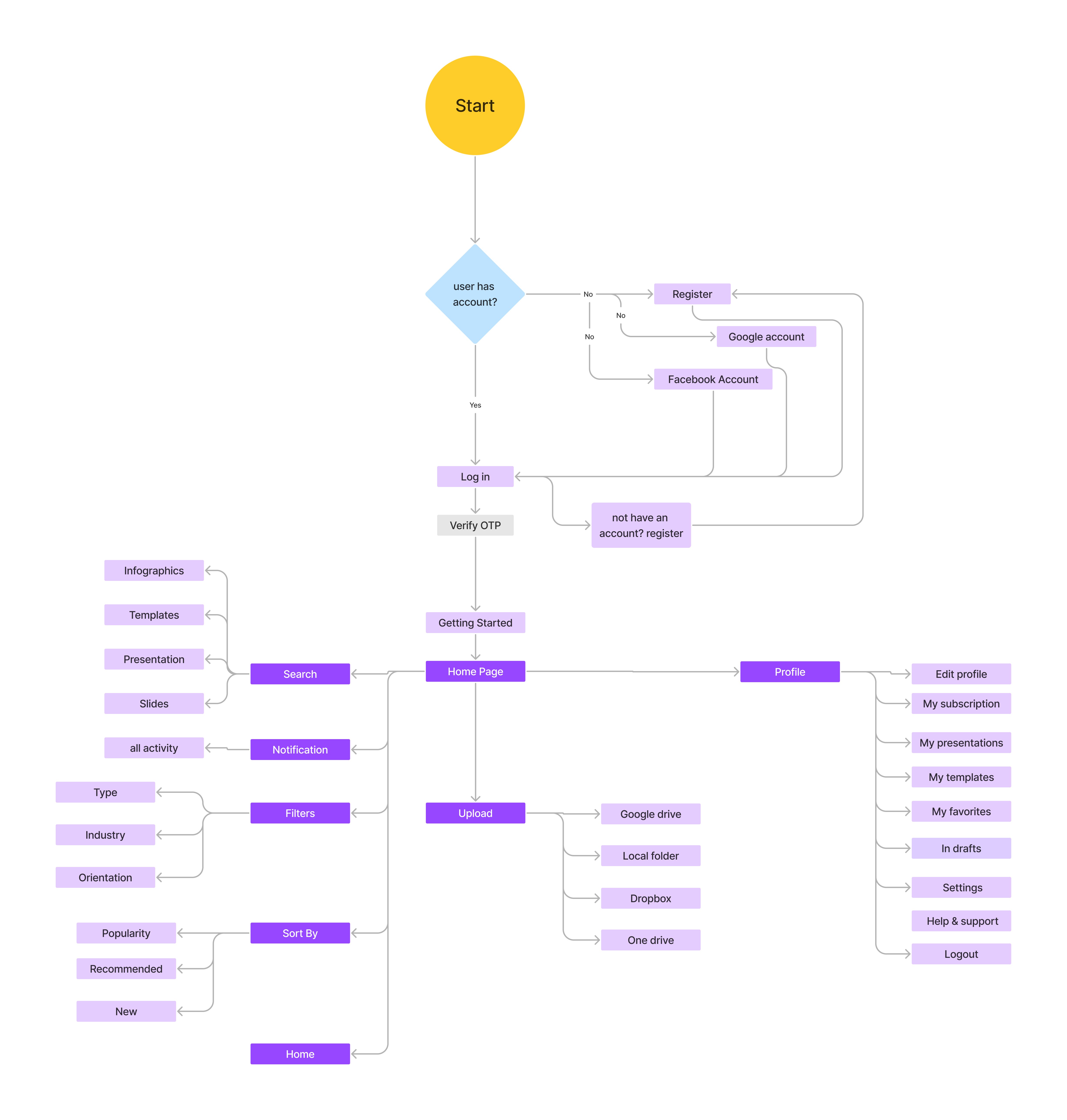
These findings informed a clear information architecture and intuitive mobile flows for quick template discovery and use.
design.
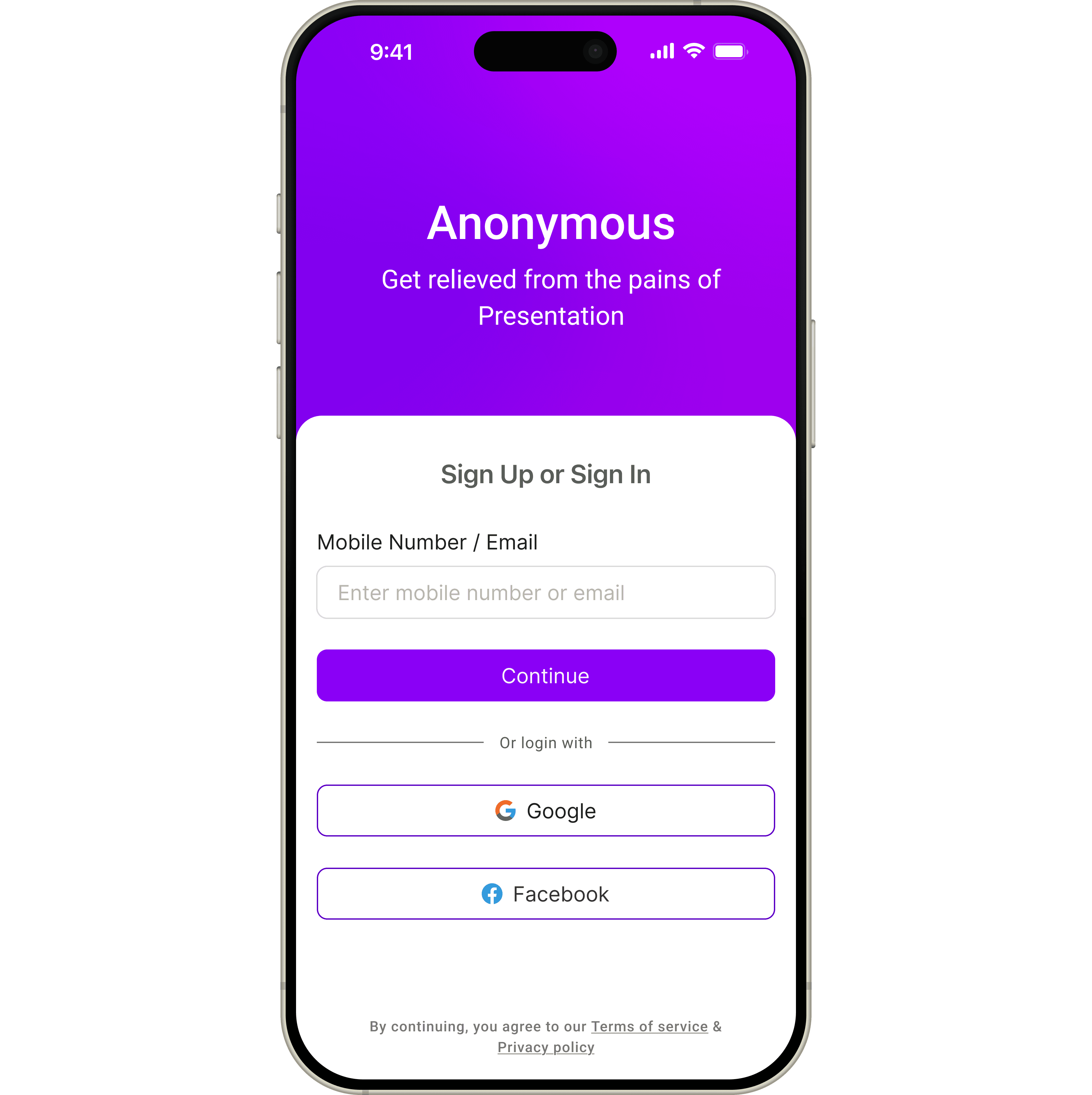
Login
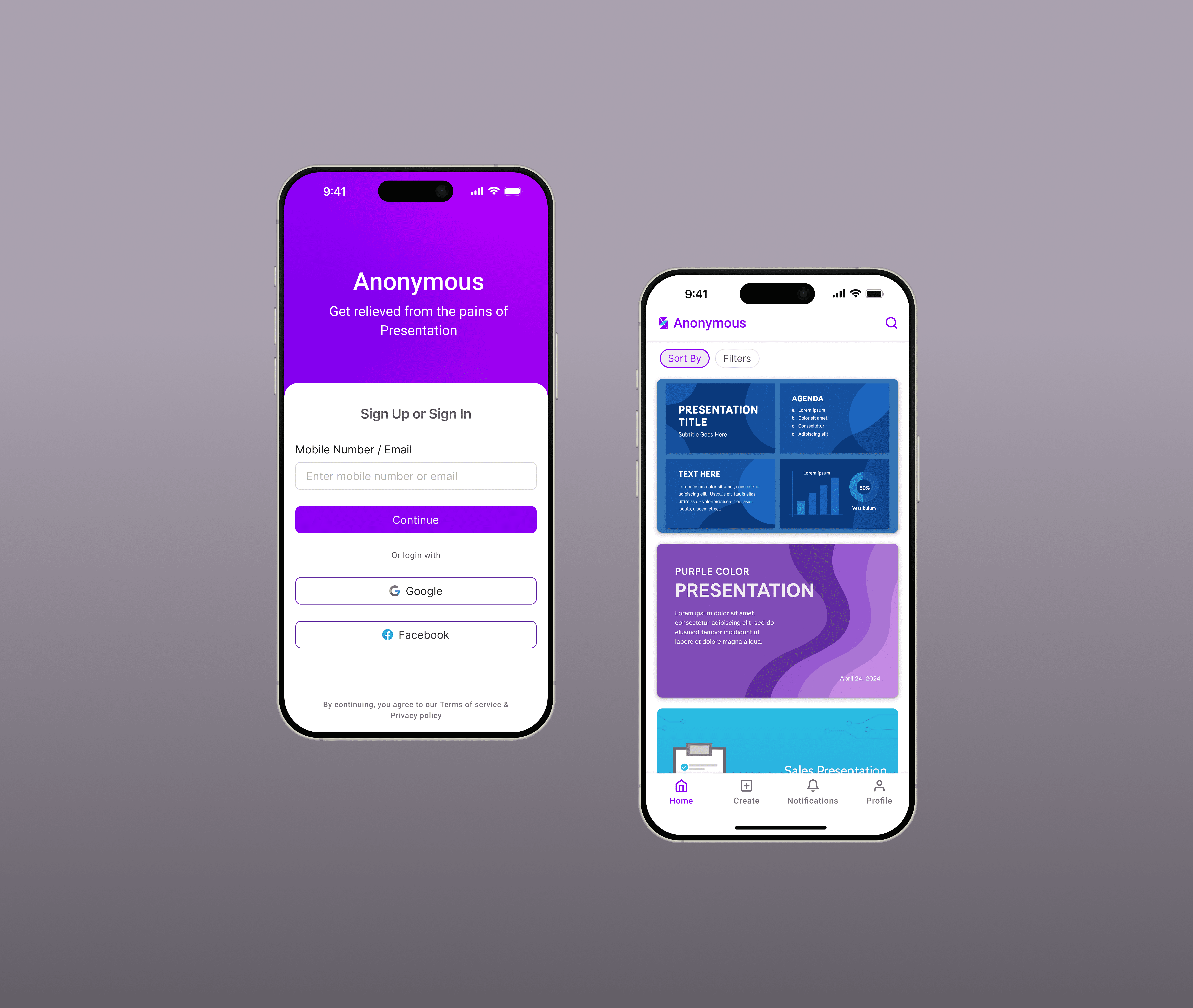
Users can register or log in using Google or Facebook, with a simplified flow that merges sign-in and sign-up through OTP verification. The design is kept minimal and intuitive to reduce friction during onboarding.
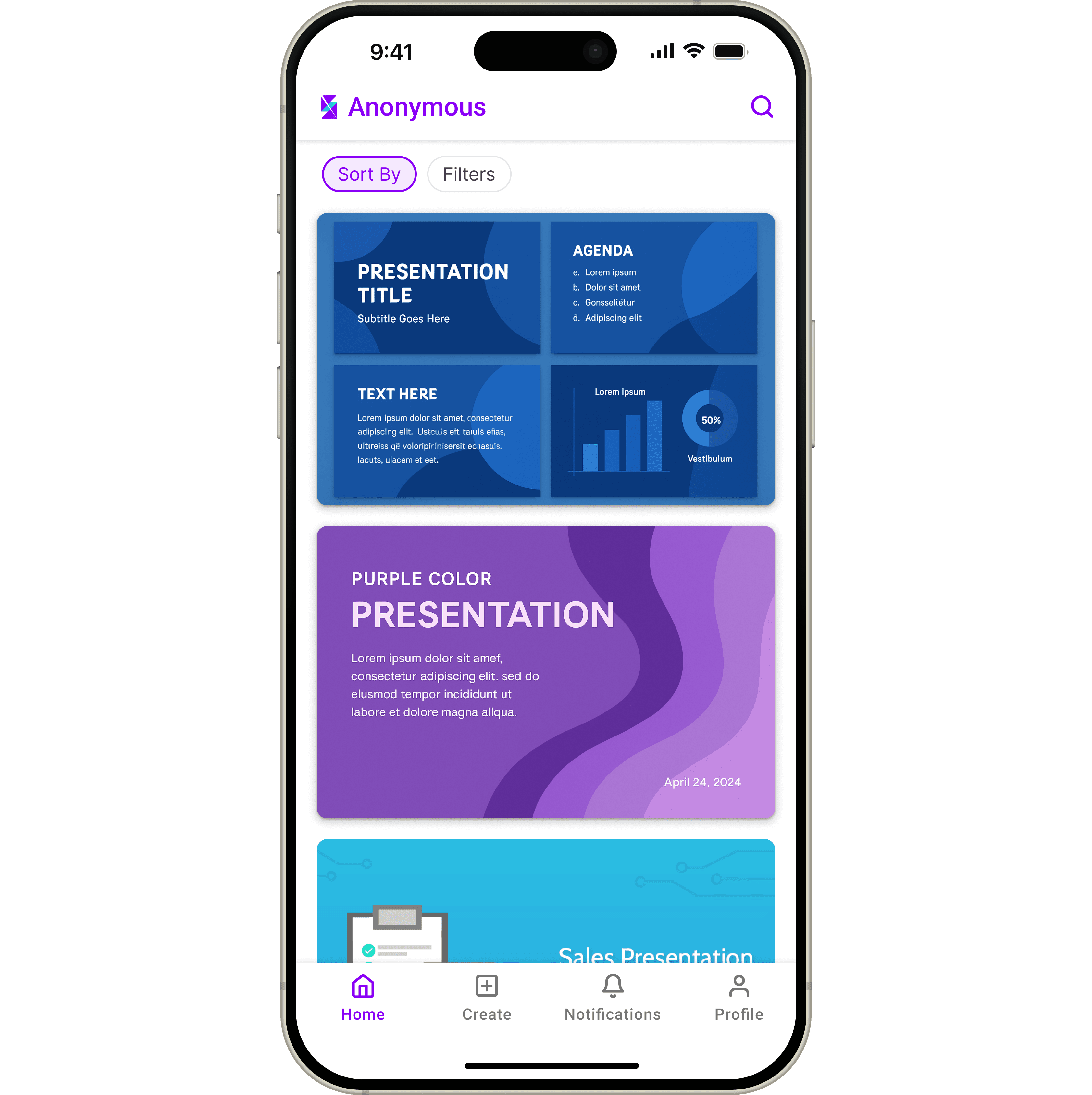
Home Page
The home screen showcases a curated set of presentations and templates, with a search bar placed at the top for quick access. Key actions are organized in the bottom navigation bar, keeping the interface clutter-free while making features like profile, upload, sorting, filters, and notifications easily accessible.
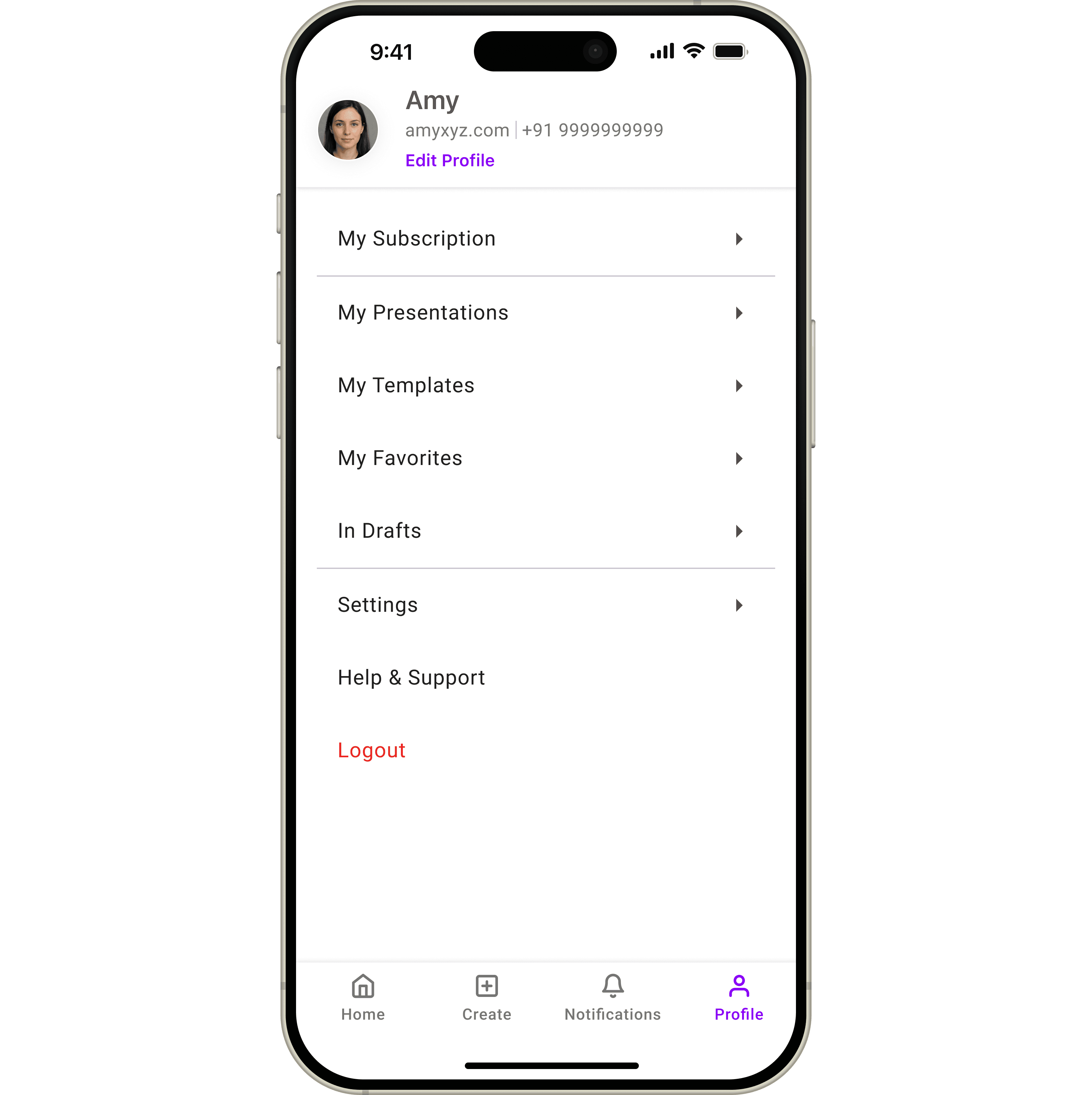
Profile
The Profile section provides a centralized space for users to manage their account and content. It includes access to profile details, subscriptions, saved presentations, templates, favorites, drafts, and settings, all organized in a clean, easy-to-scan layout for quick navigation.
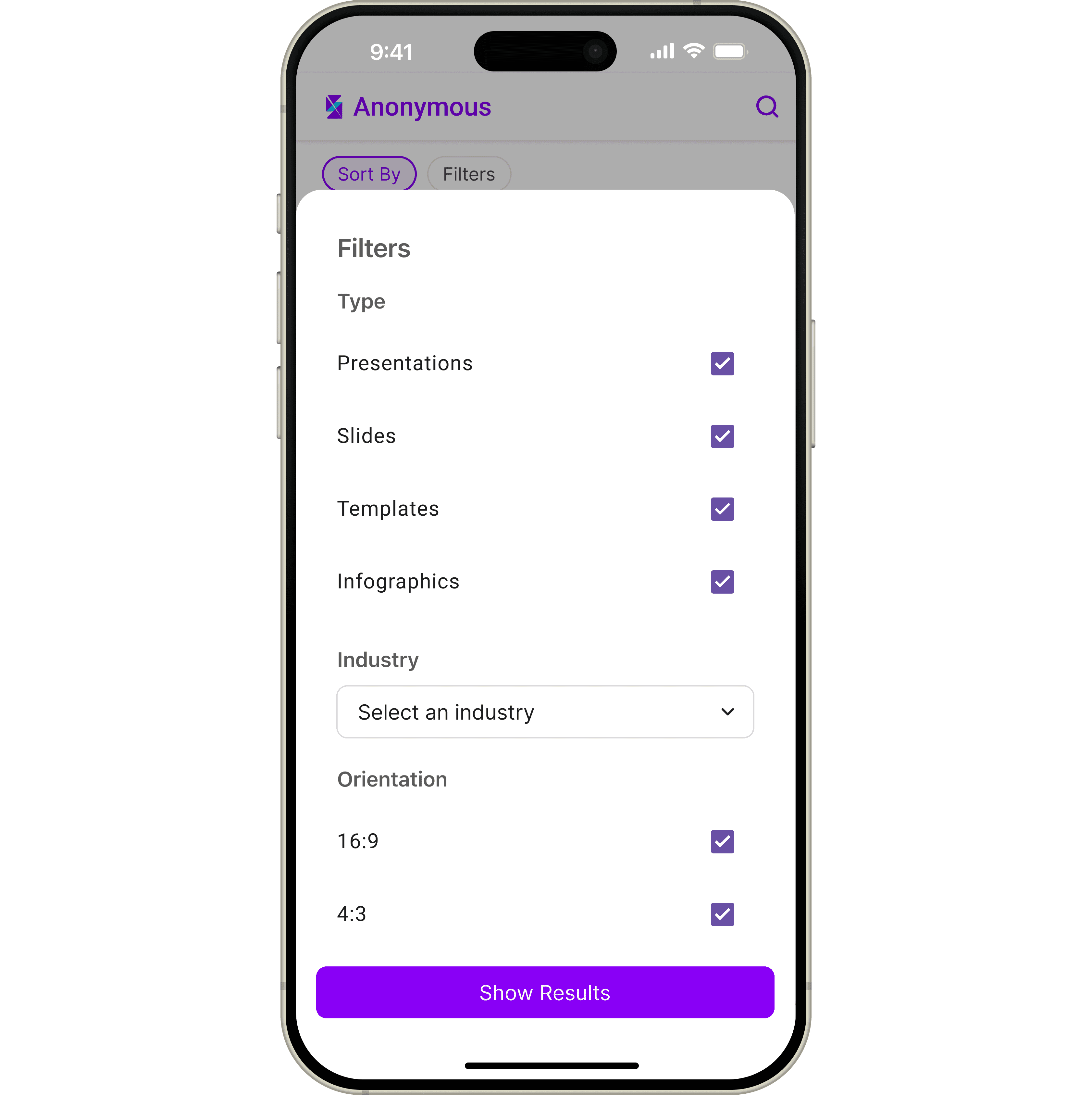
Filters
These filters help users discover content based on personalized recommendations, popularity, recency, type, industry, and intended use. They make it easy to explore templates tailored to individual preferences, trending options, or specific categories.
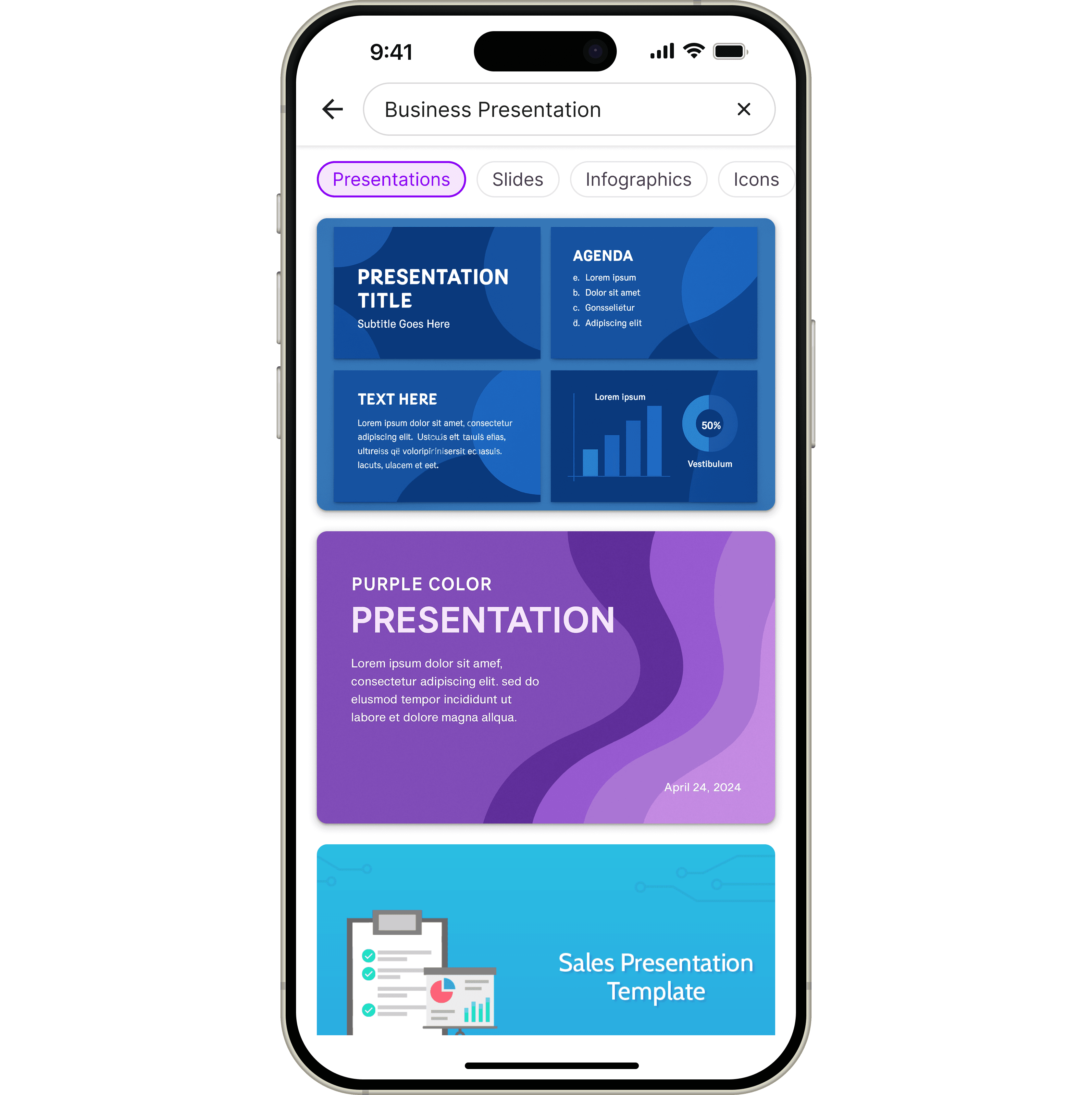
AI Powered Search
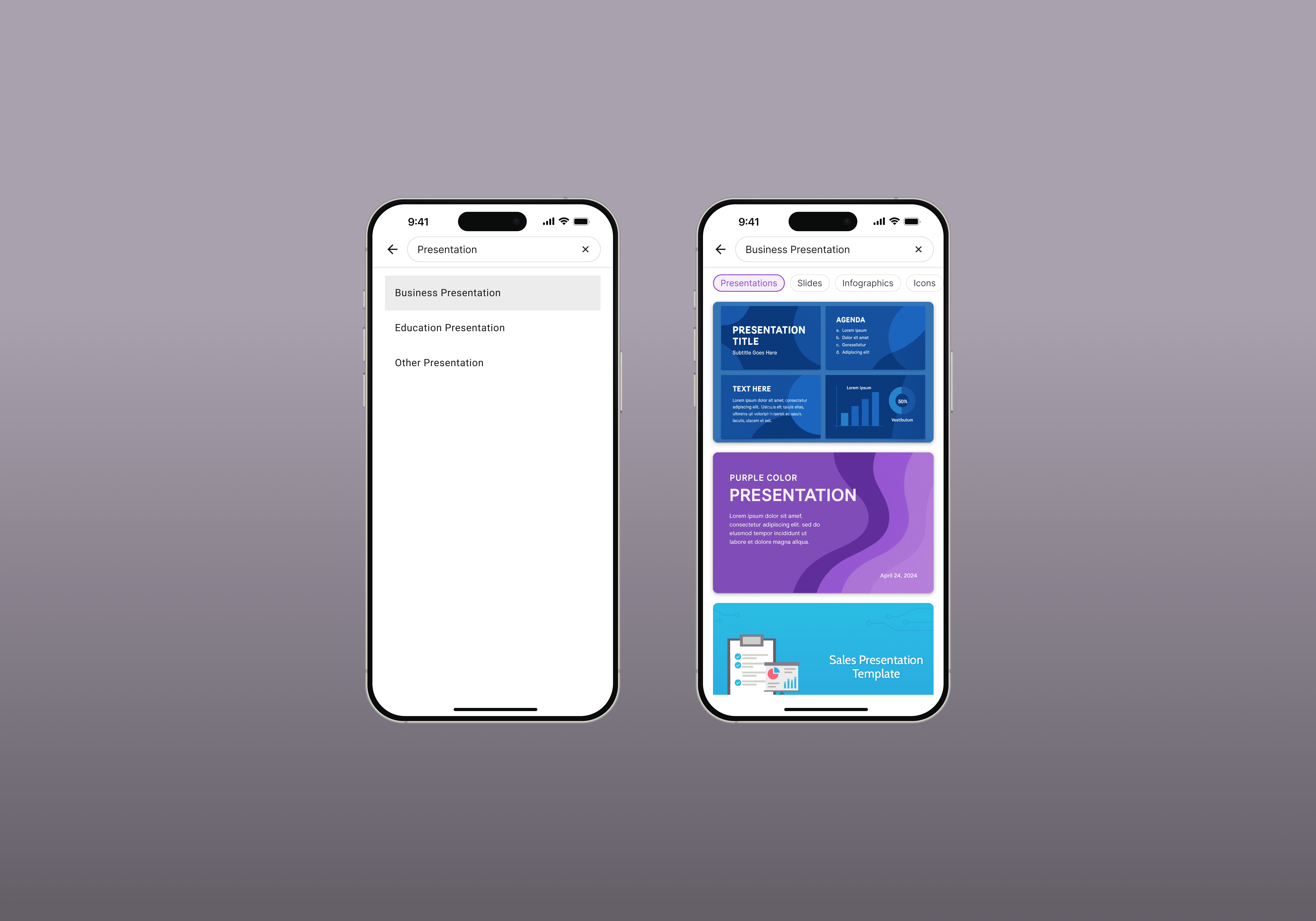
AI-powered smart search allows users to find themes or templates by name and refine results by content type, including presentations, templates, slides, and infographics.
result.
The app provides a fast and intuitive experience for time-constrained users to discover and use presentation templates.
AI-powered smart search, clear filters, and simplified home and profile screens reduce effort and speed up discovery.
Consistent design language and mobile-optimized features enable users to quickly find, select, and start working on templates.